Opsview 6.9.x End of Support
Opsview versions 6.9.x reached their End of Support (EOS) status at the end of January 2026, in accordance with our Support policy. As of this date, these versions no longer receive code fixes, security updates, maintenance releases, or backported changes.
The documentation for version 6.9.7 and earlier releases will remain accessible for reference, but it will no longer be updated or maintained. We strongly recommend upgrading to the latest supported version of Opsview to ensure continued support and access to the latest features and security enhancements.
Cloning a Host
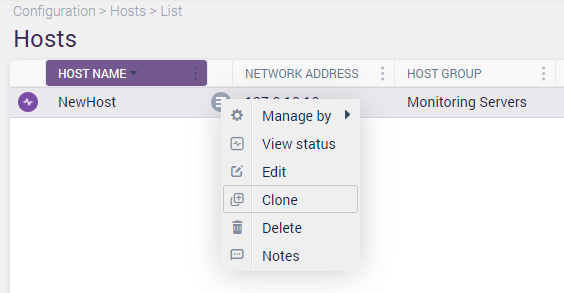
If you want to create a new Host based on an existing one, click on the contextual menu of the Host you wish to copy the settings of and select Clone:
This will load a new ‘Host’ modal with all the pre-populated data of the original Host.
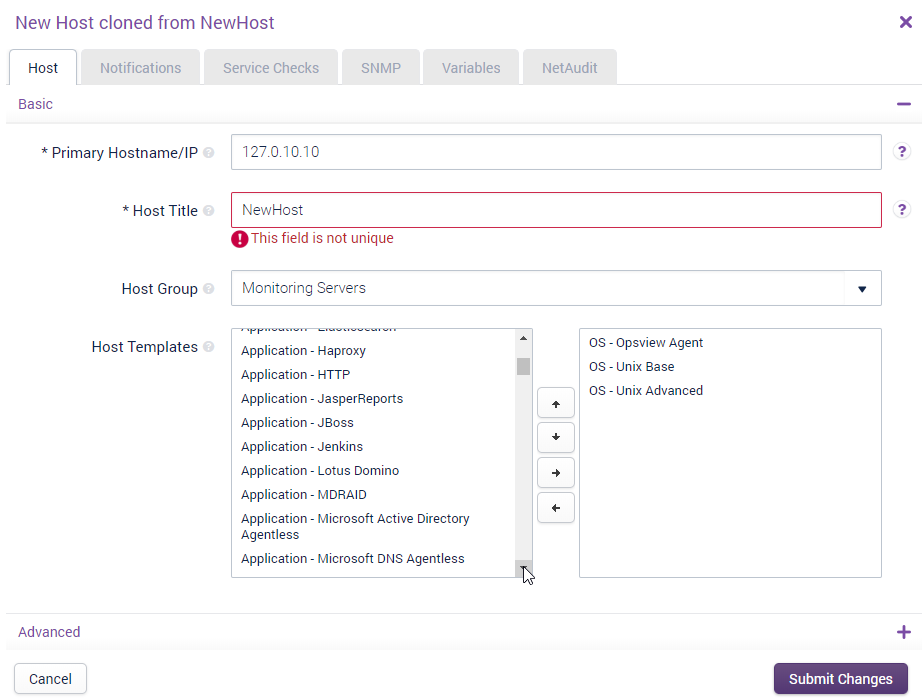
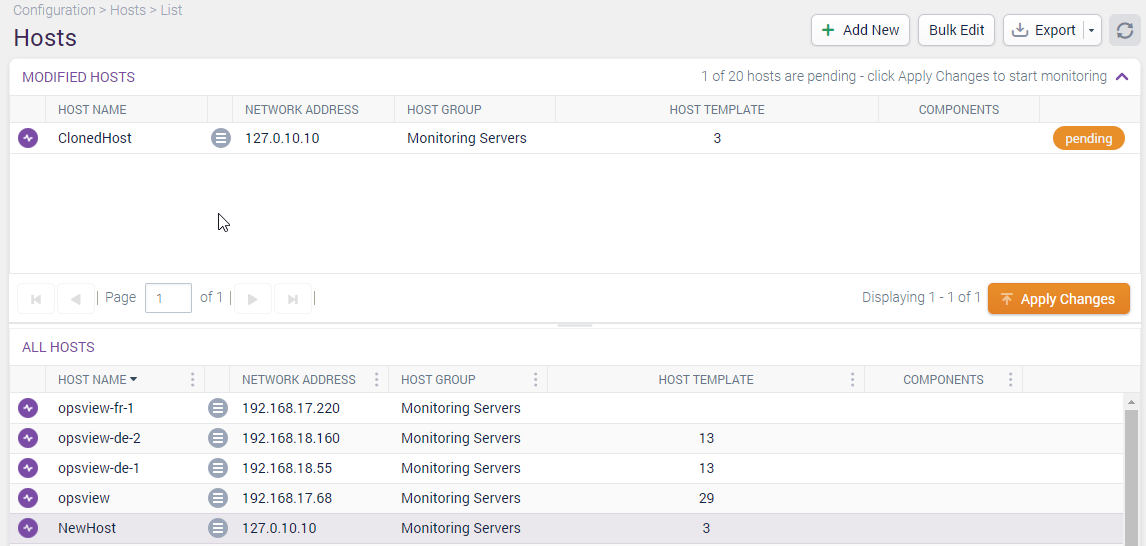
In the above example you will notice that the ‘Host Title’ field is highlighted in red as there is a conflict, in that the Host Title field is not unique. Change the ‘Host Title’ and any other definition of this new host and click Submit Changes. The new Host Check Command will appear in the list of all Host Check Command’s and will be highlighted yellow to indicate that you need to go to Configuration > Apply Changes to make the changes live in your production system: